


Use a different module for each review task: collect the conversation, inspect the argument, check the dependencies and plan the agreed work. Keep the source evidence available as you move between them.
Start with the interview briefing
Add the Lemon Slice Hosted Avatar Test module and choose its Interviewer agent. Prepare the briefing and processing prompt as described in the interviewer post. After a real session, review the transcript and generated notes before handing them to an assistant.
For this exercise, use workshop-evidence.txt instead. It is explicitly scripted input, with N01–N05 references, so you can reproduce the later steps without starting an avatar session.
Review the findings in two modules
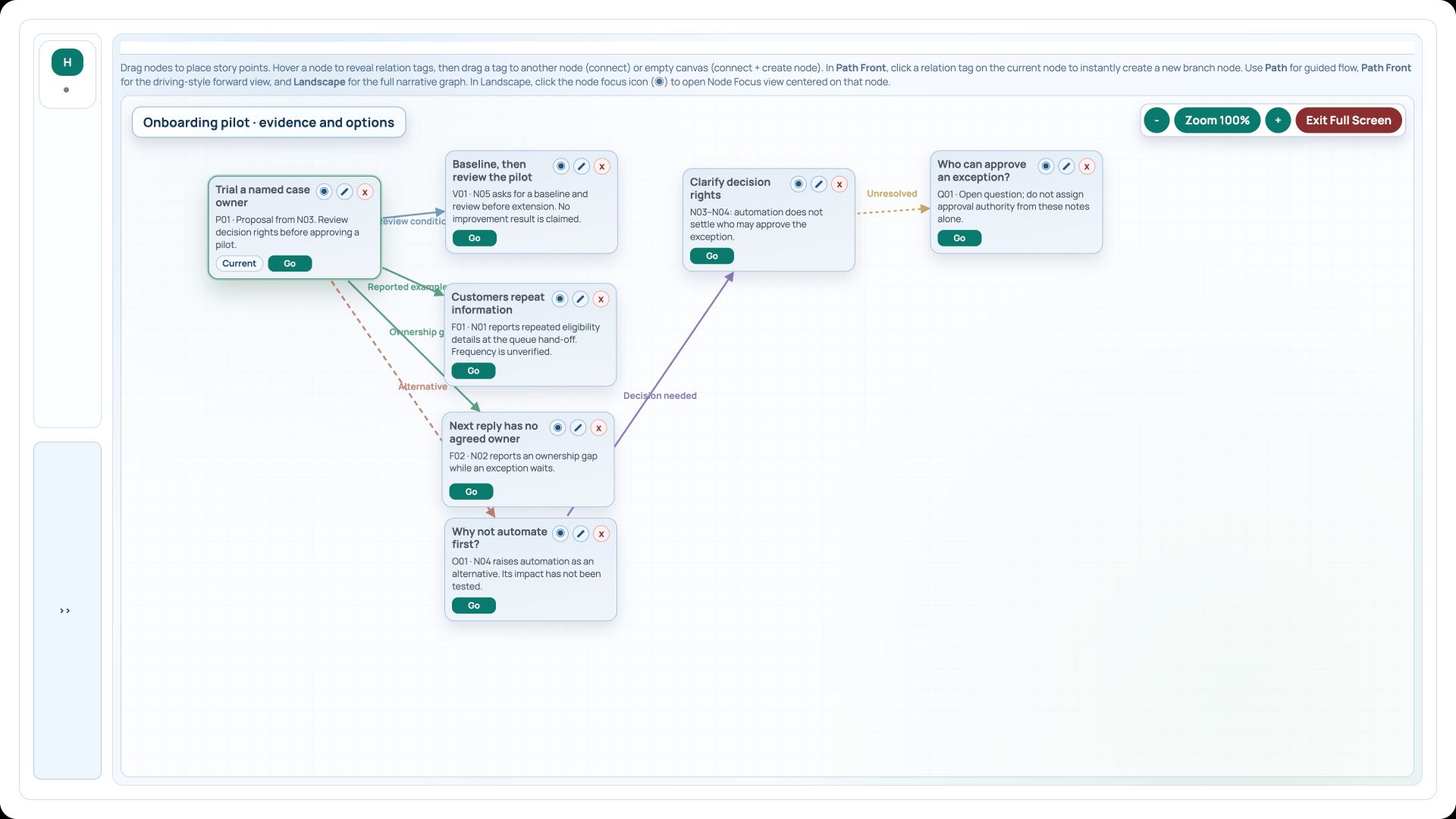
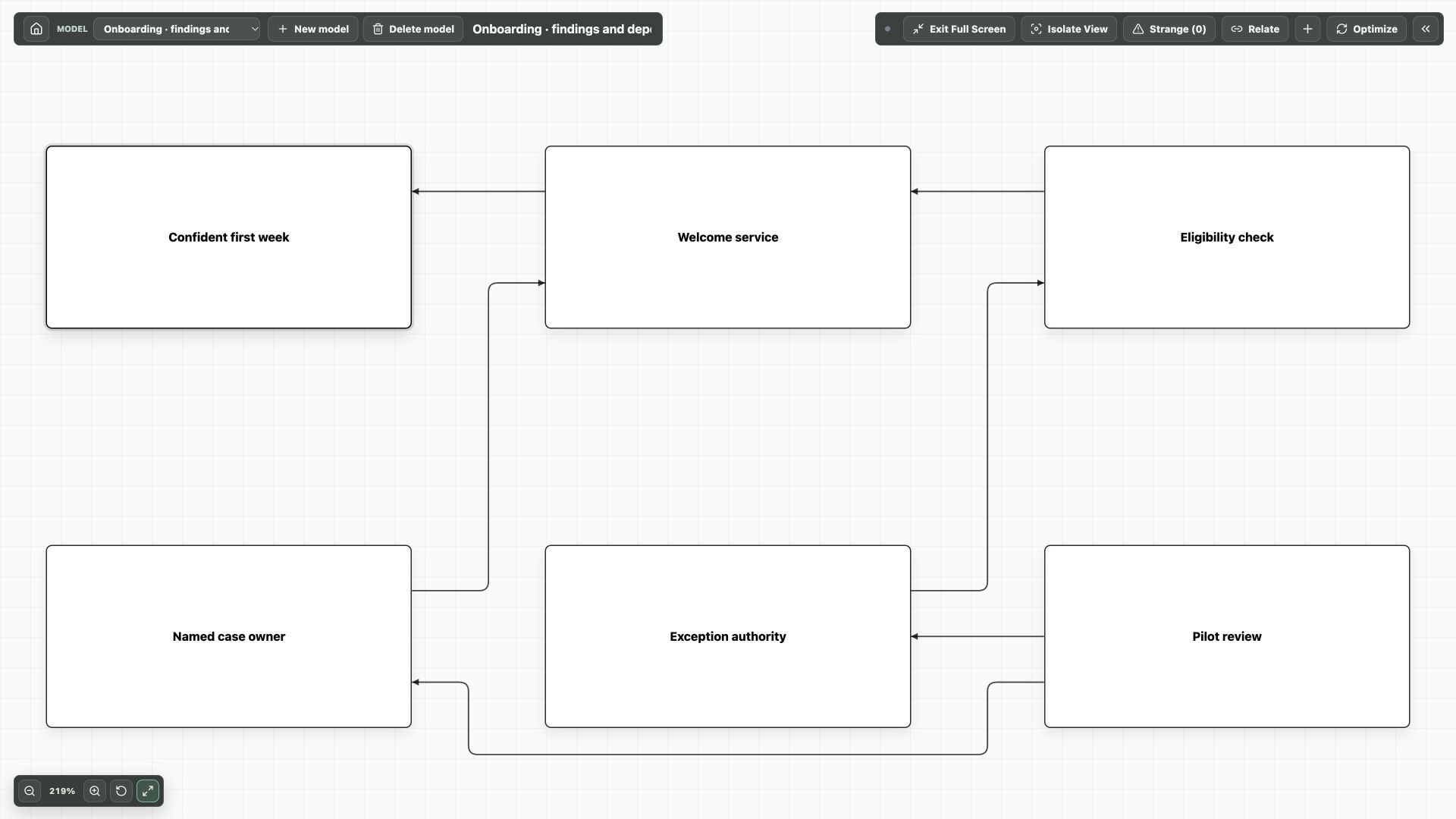
Ask your MCP assistant to propose findings and keep the note IDs. Use Narrative Mapper for the case, supporting evidence and objections. Use Conceptual Map for the capability, ownership and approval dependencies.
Before revising the Conceptual Map or Gantt plan, ask the assistant to discover its native graph schema and query the saved records with the returned snapshot. The current demo queries read six concept connections and six Gantt work packages. Review these saved results alongside the evidence notes; the modules still need deliberate hand-offs.
- Keep observations, proposals and open questions distinct in the assistant’s initial analysis.
- Create a new Narrative Mapper portlet and review the pilot proposal with its automation-first objection.
- Create a Conceptual Map in a separate portlet and inspect the proposed ownership and unresolved approval authority.
- Resolve or assign follow-up for the open questions before turning a proposed change into delivery work.
Put agreed actions into Gantt Chart
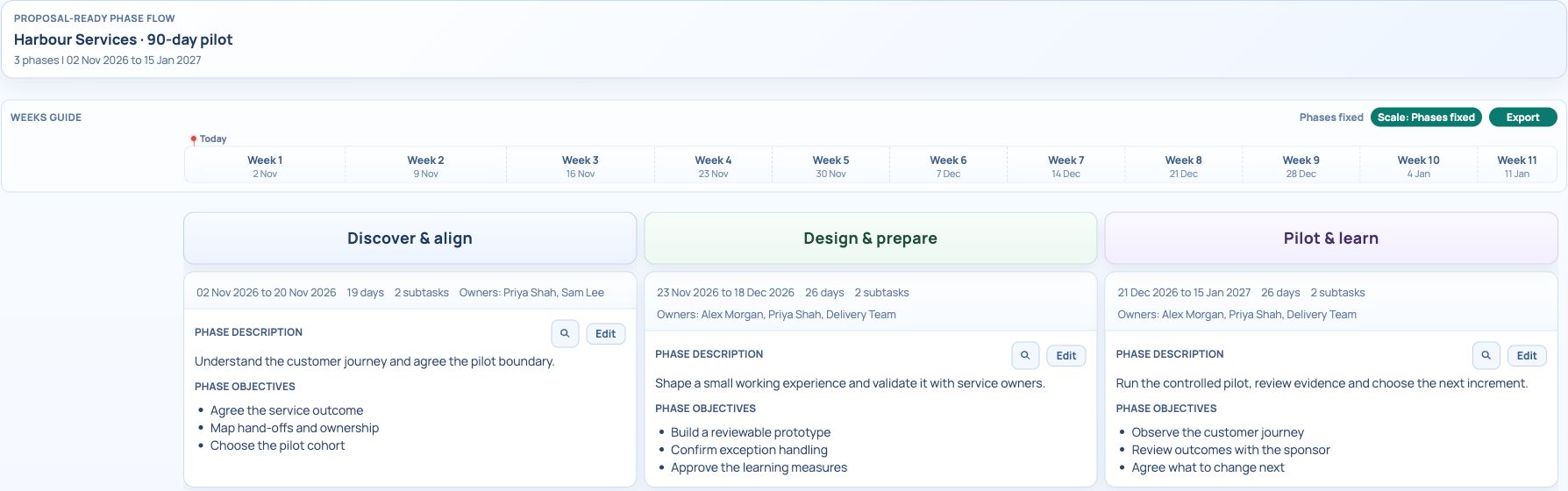
Search for Gantt Chart and use Roadmap for the phase discussion. For example, place baseline collection and authority clarification in discovery, prototype review in preparation, and evidence review in the pilot phase.
Use Tasks and Timeline to maintain the individual work, owners and prerequisites. Ask the assistant to prepare a separate draft plan if you want help; review it before using it. The existing demo Roadmap is illustrative, not an automatically generated consequence of an interview.
Keep the hand-offs explicit
Place all the portlets in one workspace and add notes explaining the sequence. After a review, update the source model or plan intentionally. These modules do not automatically synchronise every change into each other.
The maps and Gantt example are available in the demo files. The useful result is that a reviewer can trace an agreed task back to the finding, the proposal and its source note.
Try it in your workspace
Use the argument map to decide what is supported, the conceptual model to check dependencies and Gantt Chart to schedule only the work that has been agreed.
Demo notes and files
The screenshots use the private CEP Blog · Field Notes workspace. The notes below identify the example portlets and downloadable files. Use your own permitted portlets to follow the steps.
See the demo notes ↗Download the mapping prompts ↓
This is part of an editorial retrospective. The archive date is not a feature release date; descriptions and screenshots reflect the November 2026 local demonstration. The examples are fictional.