


Use the Future Matrix sections to explain why a response is being considered, then use Conceptual Map and Gantt Chart to work through its dependencies and agreed preparation. Return to the measures and captured signals when reviewing the plan.
The Future Matrix was created by Julio Graham, who operates Olive Professional Services.
Develop stories and proposed responses
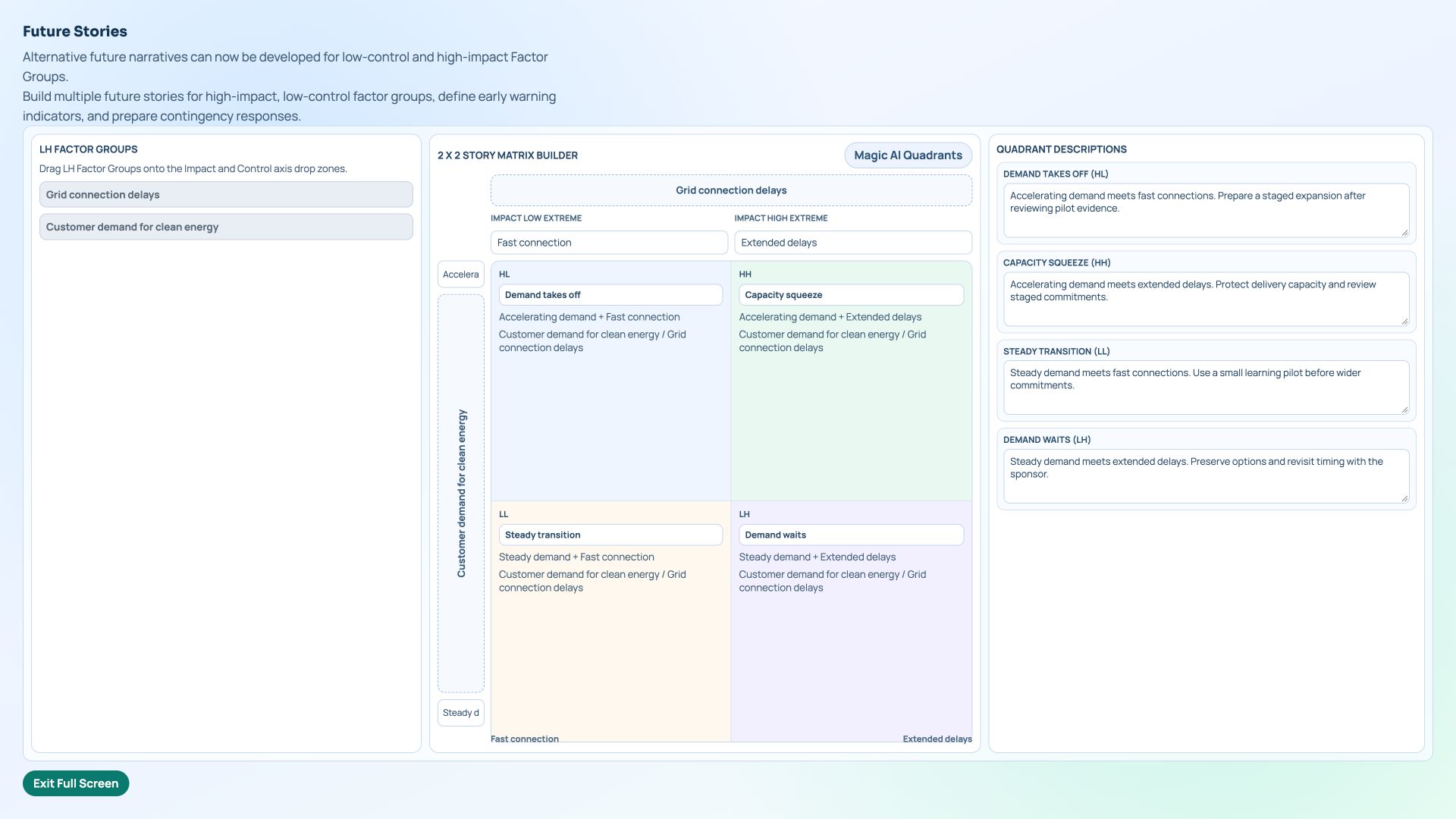
Search Add Portlet for Factor Future Contingency. In Factor Analysis, review the Harbour Energy factors, then select LH and open Workshop Future Stories. Define connection timing and customer demand as the two dimensions, with names and descriptions for all four combinations.
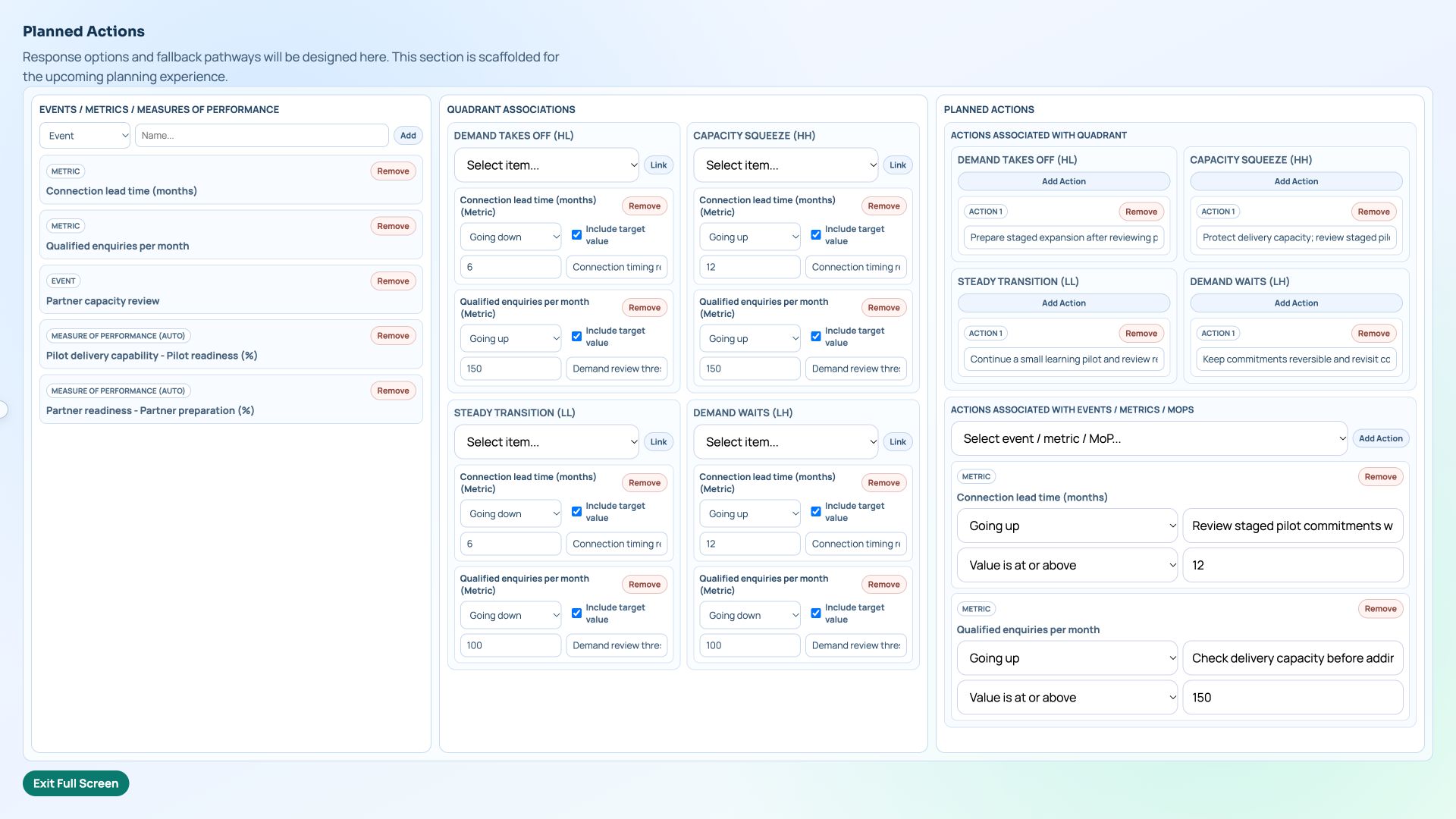
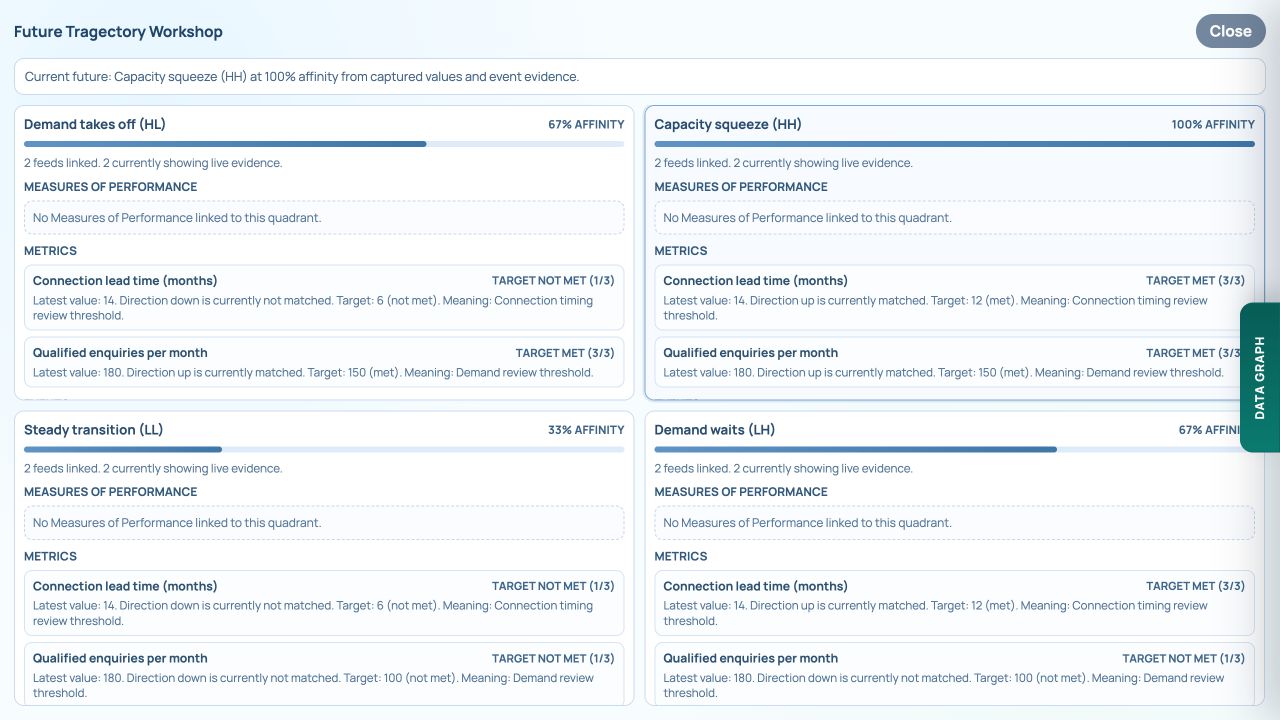
Open Workshop Planned Actions. Compare a staged pilot response against each story and link useful metrics under Quadrant Associations. In Capacity squeeze, rising lead time and enquiries are associated with protecting delivery capacity. Keep those external conditions distinct from controllable preparation work.
Carry the measures and review rules into the model
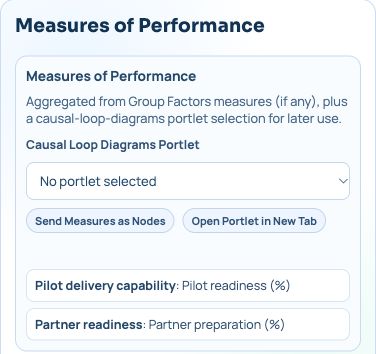
Measures of Performance brings together Pilot readiness (%) and Partner preparation (%) from the factor groups. Use these to ask what evidence of readiness would be needed before a proposed action becomes a commitment.
Keep the response, the relevant story and its review rules alongside the dependency model. A connection estimate of twelve months is a fictional review threshold in this example. It is not a scheduled task, a probability or a reason to approve work automatically.
Model what the response depends on
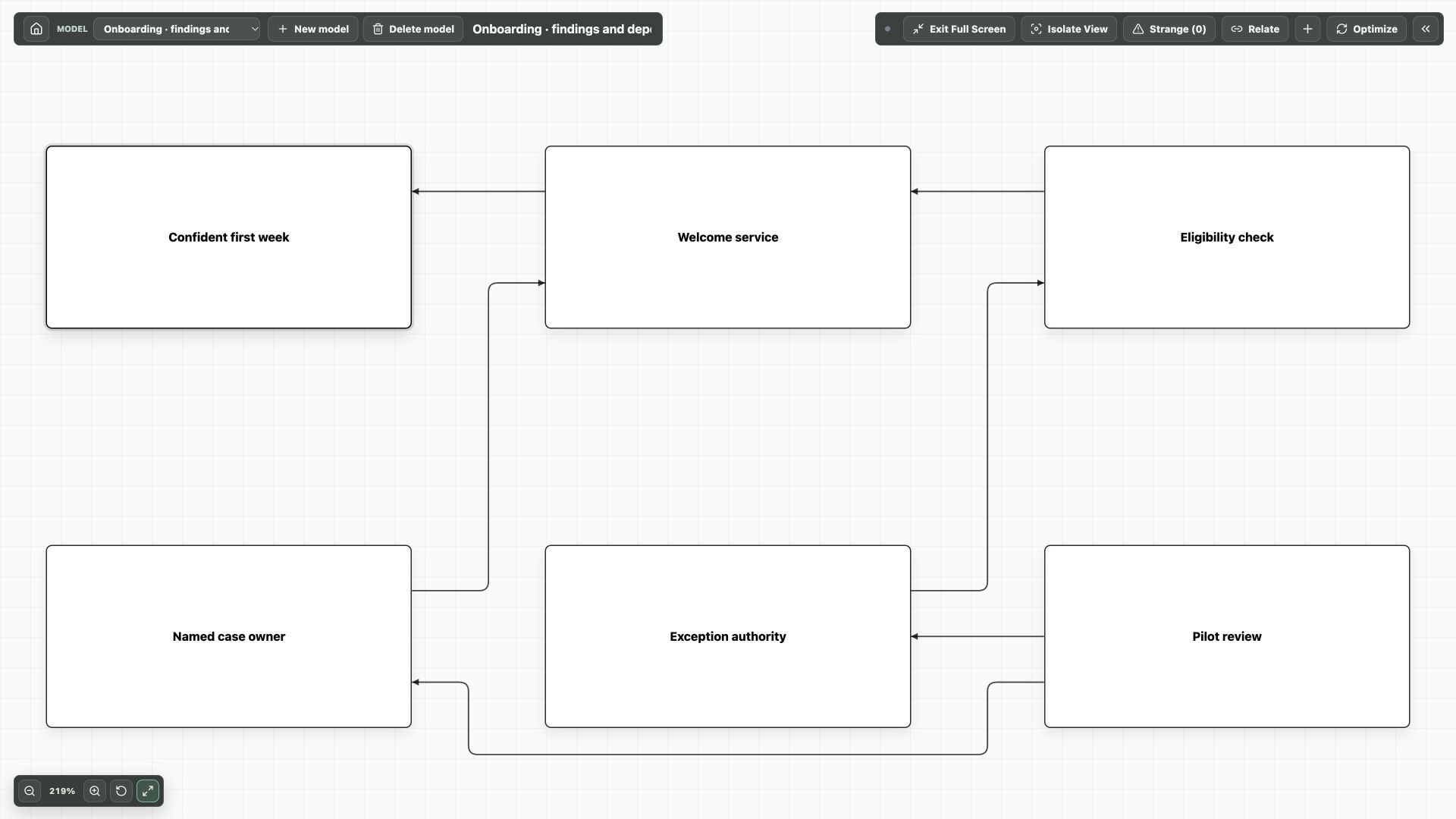
Add Conceptual Map and create a separate model for the response. Give it concepts for the pilot, delivery capability, partner readiness, connection timing and a review point.
Ask your MCP assistant to analyse the scenario notes, propose the dependencies and record source references in concept notes. Review the proposal before it writes the model with the native Conceptual Map tools.
Plan the preparation in Gantt Chart
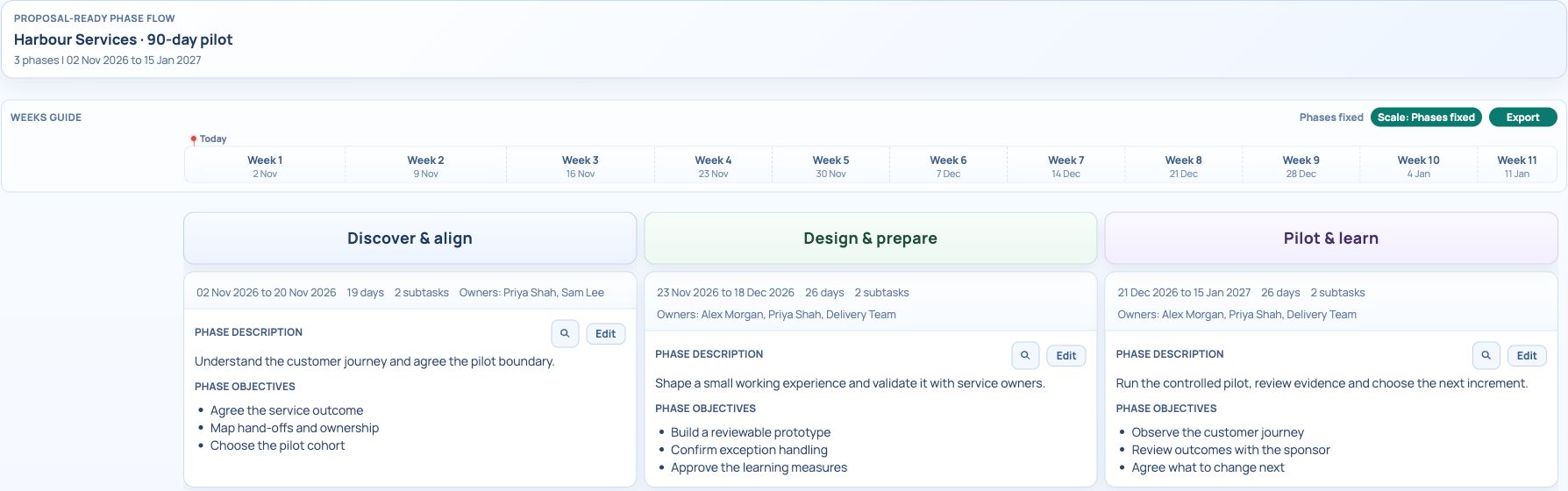
Search for Gantt Chart and create a separate plan. Use Roadmap to explain discovery, preparation and review phases; switch to Tasks or Timeline for detailed scheduling.
- List the preparation activities the team has actually agreed to undertake.
- Create phase rows, place work packages beneath them, and assign work_stream values such as Research, Design, Delivery and Governance.
- Assign owners and prerequisites. Keep the scenario review rules in phase assumptions or supporting notes.
- Use Timeline to check the schedule, then Roadmap to review phases above the work streams and their work packages. Export the phase graphic if needed.
Use tracking to revisit all three portlets
Open Operational Tracking in The Future Matrix and capture the selected values. The demo includes two manually entered samples: lead time rises from 9 to 14 months and enquiries from 120 to 180, while pilot readiness rises from 60% to 75%. Weekly is a cadence label, not an automated data feed.
Open Future Tragectory Workshop to read the evidence behind the story affinities. Capacity squeeze matches the configured direction and targets in this sample. Pilot readiness is tracked but is not linked into the affinity calculation. The percentages summarise rule matches, not forecast probabilities.
Review the proposed response in Planned Actions, then check whether the conceptual dependencies and Gantt work packages still fit. Update each affected portlet after agreement; this workflow does not automatically create or reschedule Gantt tasks.
The Conceptual Map and Roadmap screenshots below are separate onboarding samples that illustrate the modelling and planning pattern. The downloadable Future Matrix state and Gantt import are independent examples, not a linked energy programme.
Try it in your workspace
Develop the stories and response rules, model the readiness dependencies, then schedule agreed work. Use Operational Tracking and the trajectory explanation to trigger the next review.
Demo notes and files
The screenshots use the private CEP Blog · Field Notes workspace. The notes below identify the example portlets and downloadable files. Use your own permitted portlets to follow the steps.
See the demo notes ↗Download the Future Matrix example state ↓
This is part of an editorial retrospective. The archive date is not a feature release date; descriptions and screenshots reflect the November 2026 local demonstration. The examples are fictional.