
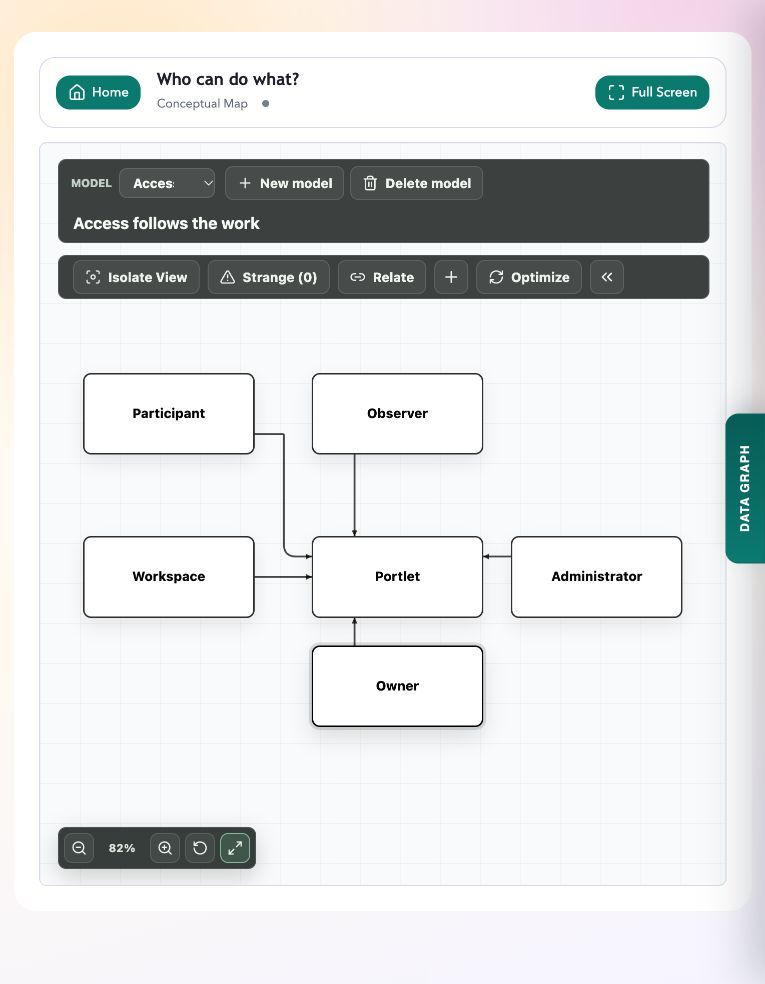
When someone joins an existing piece of work, check what they need to do in each portlet. Viewing a model, editing it and managing its sharing are separate responsibilities.
The participation options
An owner maintains a portlet and its sharing. Full access lets a participant edit the content. Observer access lets someone inspect supported views without changing saved content. Administrators manage platform settings and permissions.
Your organisation may use its own role names. CEP supports access assigned through roles and to individual users, so these participation patterns do not require four fixed organisation-wide roles.
Review sharing on an owned portlet
If you own the portlet, use its management control on the home page. If you do not have that control, ask the owner or administrator to make the change.
- Find the portlet and open Manage owned portlet.
- Review Share Access, including any role assignments and individual user assignments.
- Assign the access needed for the work: full access for editing, or observer access for inspection. Leave public access off unless a public audience is intended.
- Save the settings. Ask the participant to open the portlet from their own account and confirm that the available controls match their role.
Example: designers and a sponsor
For the Harbour Services workshop, the service designers need to change the shared model. The sponsor needs to read it and discuss assumptions. Give the designers full access and the sponsor observer access, while the portlet owner maintains sharing.
A workspace can collect the model and pilot plan, but both portlets still have their own access rules. Check both when adding a new participant. The diagram in the screenshot is an explanatory model, not a live access administration screen.
Remember the audience of a graph snapshot
Publishing to a Common Graph shares a snapshot with that graph’s audience. Its readers may not have access to the original source portlet. Review the destination and preview before publishing.
If source access is later removed, an already published contribution remains in the destination until it is removed or updated there. Check the published copies as well as the source when changing the intended audience.
Try it in your workspace
For one shared portlet, confirm the owner, editing participants and observers, then verify access from the relevant accounts.
Demo notes and files
The screenshots use the private CEP Blog · Field Notes workspace. The notes below identify the example portlets and downloadable files. Use your own permitted portlets to follow the steps.
See the demo notes ↗This is part of an editorial retrospective. The archive date is not a feature release date; descriptions and screenshots reflect the November 2026 local demonstration. The examples are fictional.