


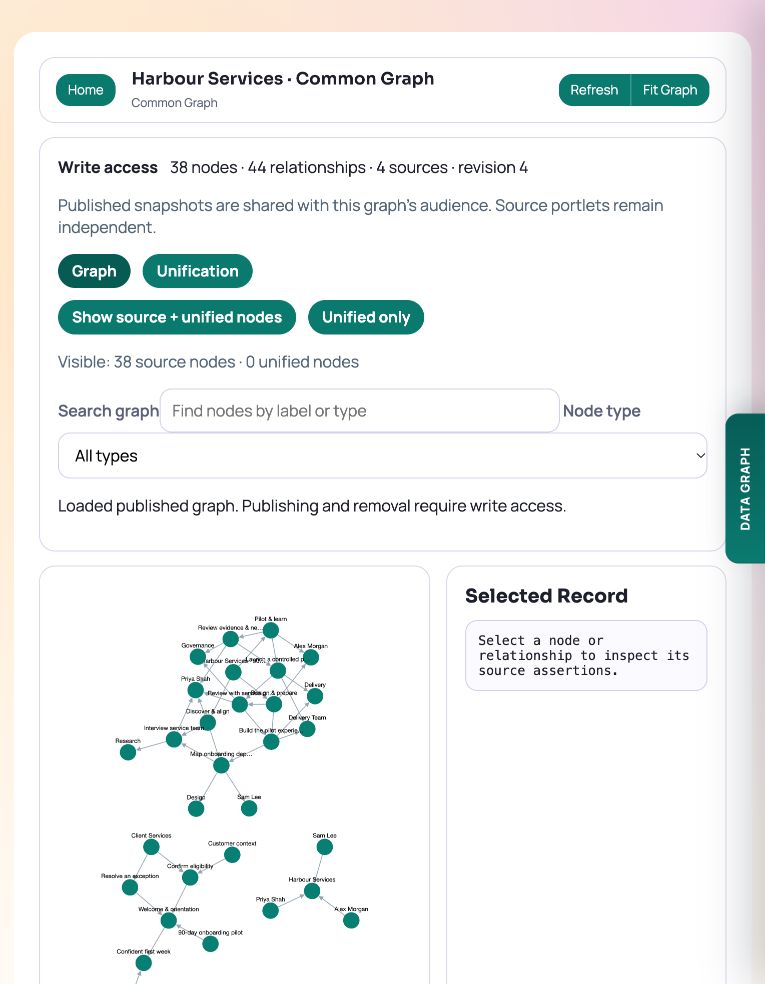
Common Graph stores published snapshots from source portlets. Use it when you need to inspect several sources together while retaining their source records and provenance.
Choose the appropriate graph tool
Conceptual Map is for creating and arranging a conceptual model. Graph Explorer and Graph Visualiser help inspect graph data. Portlet Graph shows connections between portlets and their supporting modules or files. A Common Graph portlet holds a destination dataset of published contributions.
You need write access to the source and destination, plus Graph Gateway permission, to publish. An observer can inspect a permitted destination without publishing changes.
Publish a source contribution
The demo destination contains service, directory, contact and delivery-plan snapshots. To publish another supported source, use its Data Graph panel.
- Open the source portlet and expand Data Graph.
- Choose Semantic Graph when it is available and you want domain entities. Storage Graph describes the module’s stored structure.
- Select the intended writable Common Graph destination. Check the destination name and audience.
- Review the preview and confirm publication.
- Open the destination and check Published Sources, the counts and the source assertions on a selected record.
Example: compare Employee and Person records
In Unification → Types, align the directory’s Employee type and the contacts’ Person type with the Person definition. Open Fields to inspect examples and field coverage. In Compare, select those two source types and choose Load comparison fields.
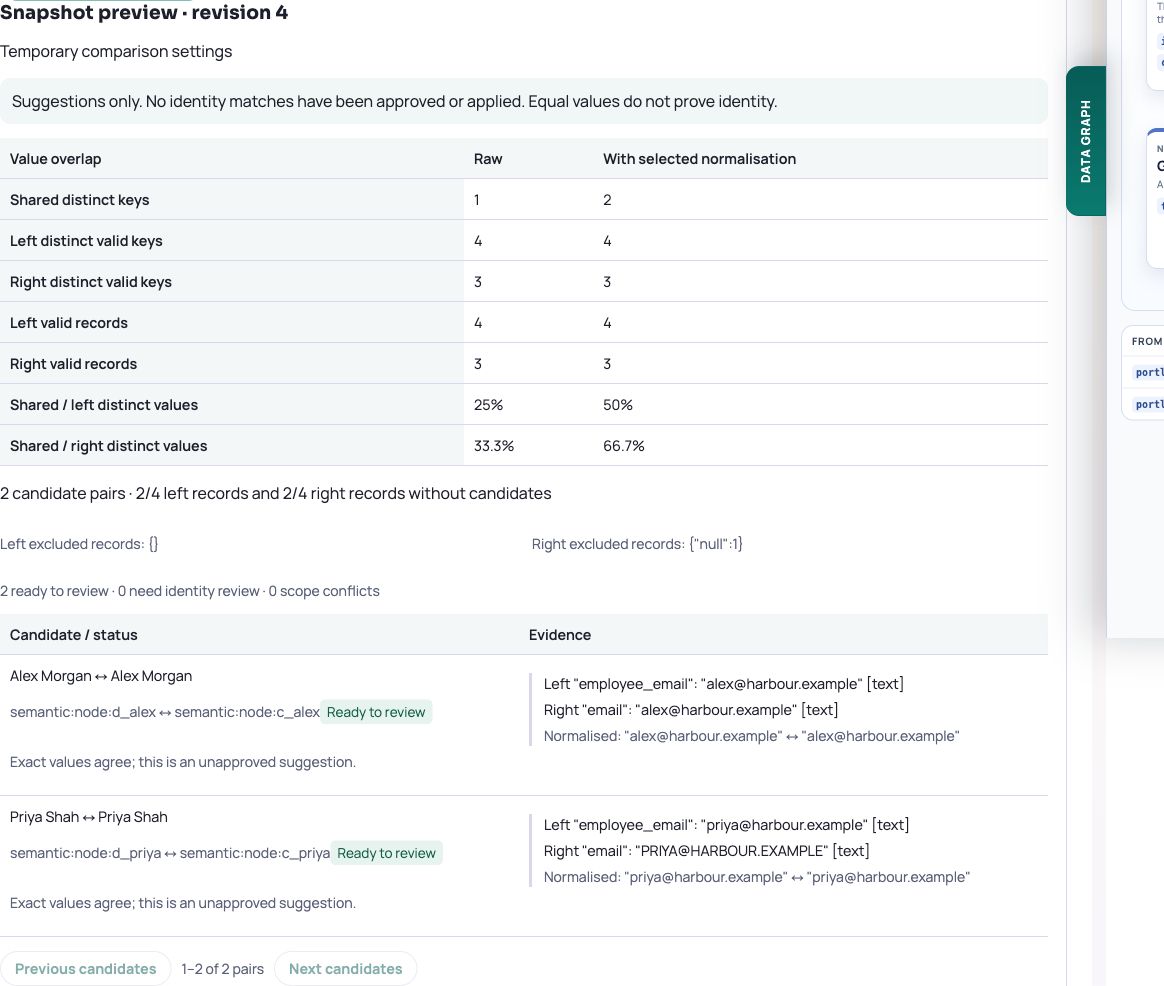
Compare employee_email with email. Select Trim whitespace and Ignore letter case, then Run exact-match preview. In the demo, shared distinct keys increase from one to two: Alex Morgan already agrees; Priya Shah’s email agrees after normalisation. One contact has a null email. The two directory records called Sam Lee show why a name alone needs review.
This screenshot uses temporary type selections and comparison settings. No model changes were saved. To keep a reviewed model, use Save changes or configure Matching definition at a selected matrix intersection. Saving definitions and field bindings does not approve or apply identity matches.
Ask an MCP assistant to inspect the same evidence
The assistant can call get_common_graph_unification_inventory and get_common_graph_unification_fields to inspect the published source types and their fields. It can then use preview_common_graph_unification_matches with the current snapshot to reproduce the email comparison. The verified demo returns two candidate pairs marked ready to review; both remain unapproved suggestions.
For an existing saved model, read get_common_graph_unification_configuration and compare_common_graph_saved_matching_definitions. To save a revised model through MCP, retain unedited entries, preview the complete payload and review the additions, changes and removals before saving with the returned preview token and current revision. This example performs reads and a temporary match preview only.
Use get_graph_portlet_schema and query_graph_portlet for bounded queries over the published graph itself. The query below filters n.kind to the quoted string 'source' for source-only counts. Saved workspace matching rules and temporary previews do not rewrite those published records.
Example Cypher-style query
MATCH (n) WHERE n.kind = 'source'
RETURN n.type AS node_type, count(*) AS records
ORDER BY node_type
Refresh the right copy
A contribution is a snapshot. Changing the source does not refresh it automatically. Republish when the destination needs the updated source; this replaces that source’s contribution in that destination.
Graph Explorer also offers live Common Graph sources for temporary overlays. Import Snapshot makes a separate copy. Choose between them according to whether you need to inspect a permitted source temporarily or retain a published copy for the destination audience.
Try it in your workspace
After publishing, check the destination’s Published Sources and inspect a record’s assertions. Republish deliberately when the source changes.
Demo notes and files
The screenshots use the private CEP Blog · Field Notes workspace. The notes below identify the example portlets and downloadable files. Use your own permitted portlets to follow the steps.
See the demo notes ↗This is part of an editorial retrospective. The archive date is not a feature release date; descriptions and screenshots reflect the November 2026 local demonstration. The examples are fictional.